 David Young
Case study · End users, developers, and internal teams
Prevail: task guides, site structure, and docs as code
At Prevail.ai, I wrote release notes, product documentation, and developer guides for customers, developers, and the internal team. I also built the review and publishing workflow and improved the documentation site's navigation and structure.
- My role
- Technical Writer, contract
- Dates
- January to October 2024
- Users
- Customers, developers, and internal teams
- Tools
- Jekyll
- Git
- GitHub
- Markdown
- HTML
- CSS
- Visual Studio Code
Context
One documentation set, users inside and outside the company
Prevail.ai's documentation served people outside the company and people inside it: customers using the product, developers, and the internal team. I wrote for all three groups.
Structure
Navigation and structure inside an existing site
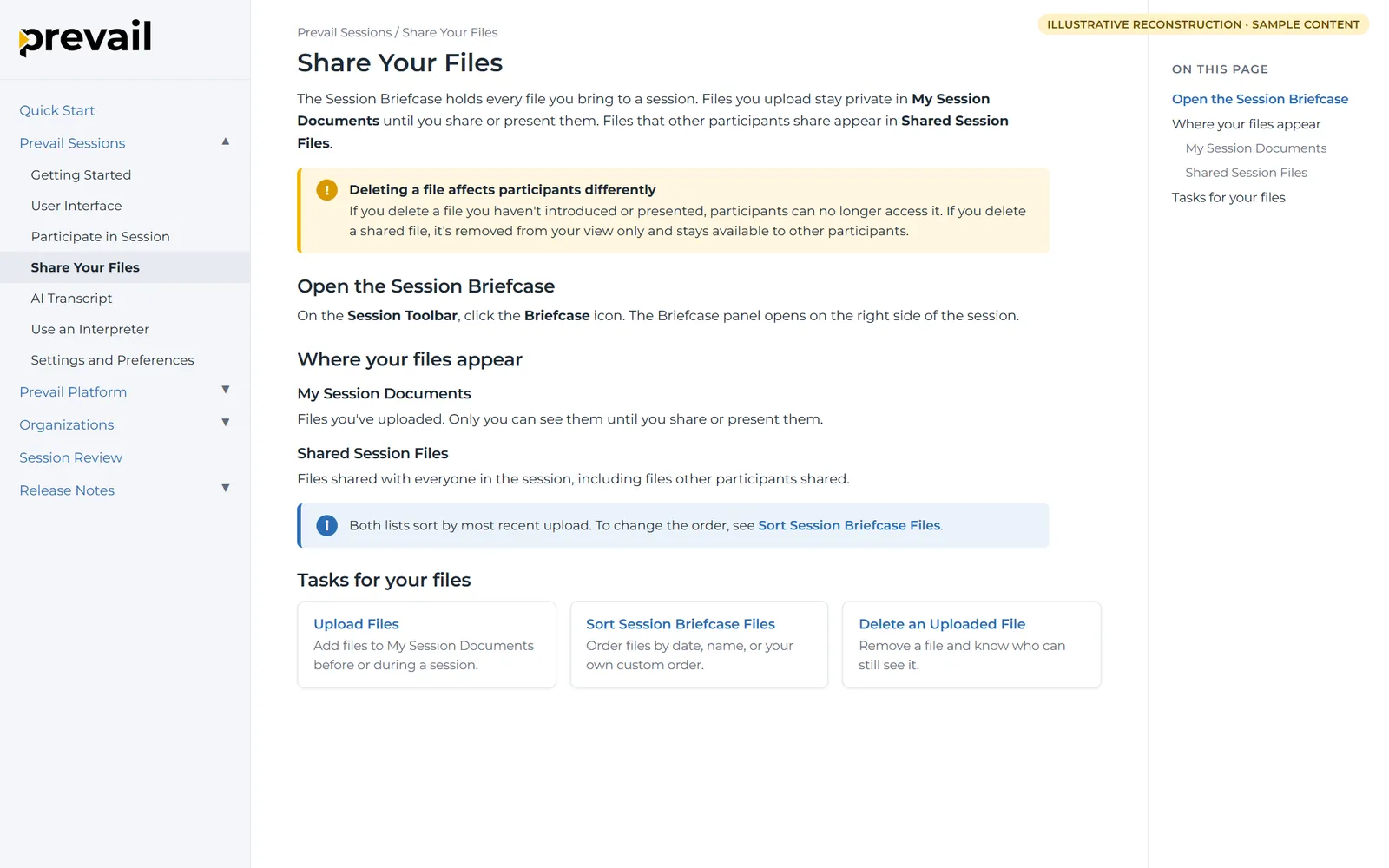
I didn't design the Prevail documentation site. I improved how users moved through it by adding three Jekyll features that any writer could reuse on any page. The table below lists them.
| Feature | What it gives the user |
|---|---|
| Callouts | Notes and warnings set apart from the steps |
| Content cards | Groups of related pages, so a user can find the next task |
| Table-of-contents control | A page-level setting to show second-level or third-level headings |
Writing
Release notes, product documentation, and developer guides
I developed and maintained four kinds of content, each written for a different group of users. The table below lists them.
| Content | Users | What it answers |
|---|---|---|
| External release notes | Customers | What changed in the product |
| Internal release notes | The internal team | What changed, and what the team needs to know about the change |
| Product documentation | Customers | How to complete tasks in the product |
| Developer guides | Developers | How to work with the product as a developer |
Docs as code
Published with Jekyll, Git, and GitHub
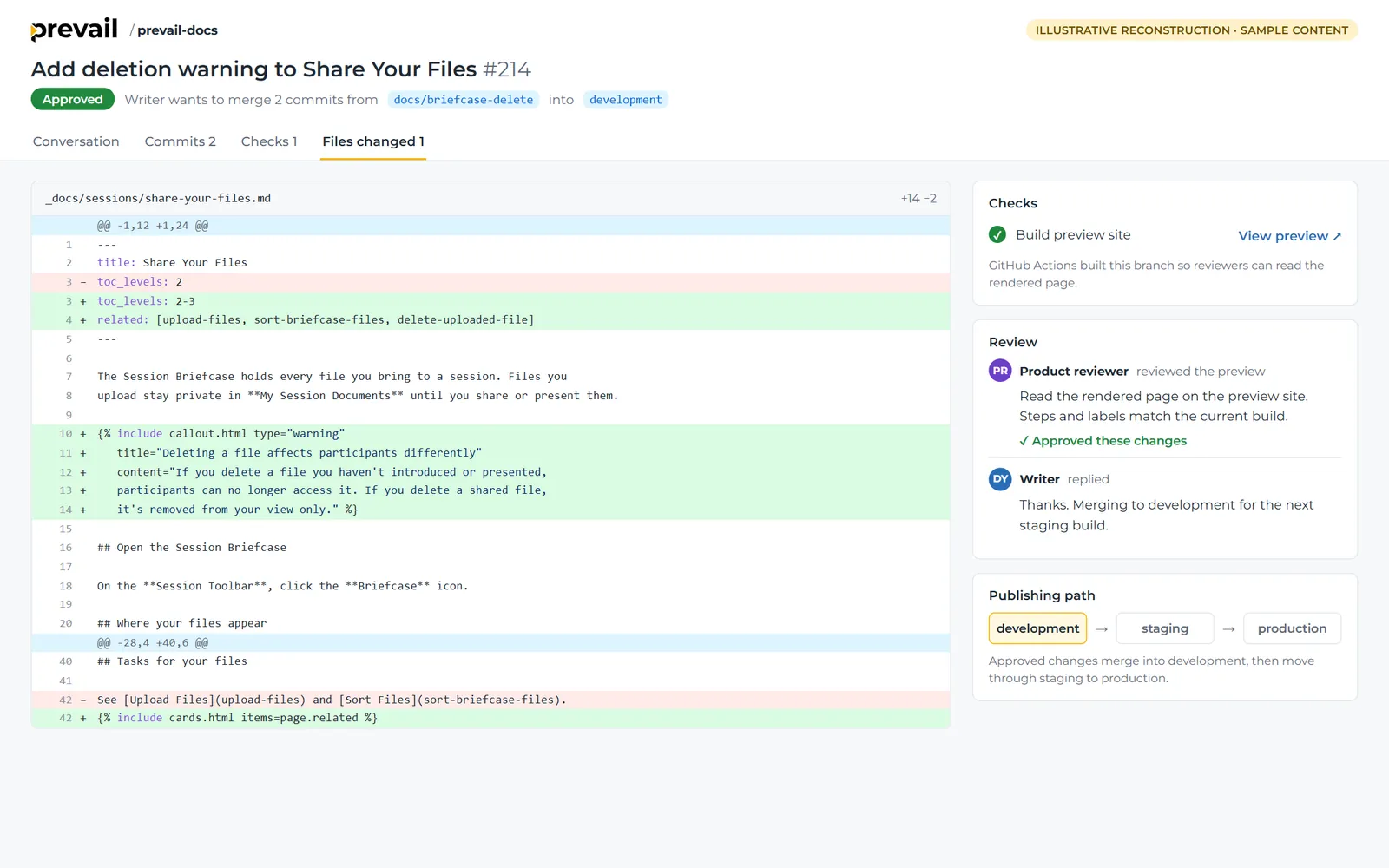
The documentation was written in Markdown, kept in Git and GitHub, and published as a Jekyll site. Each writer worked on a separate branch, and GitHub Actions built a preview of the site for every change. Writers shared those previews with subject-matter experts, who checked the rendered pages and gave feedback in the pull request before approving. Approved changes merged into development, then moved through staging to production.
I built the review and publishing workflow and wrote the pull-request instructions, so every writer moved changes through the same steps.
Sample
Task guide: sorting and deleting session files
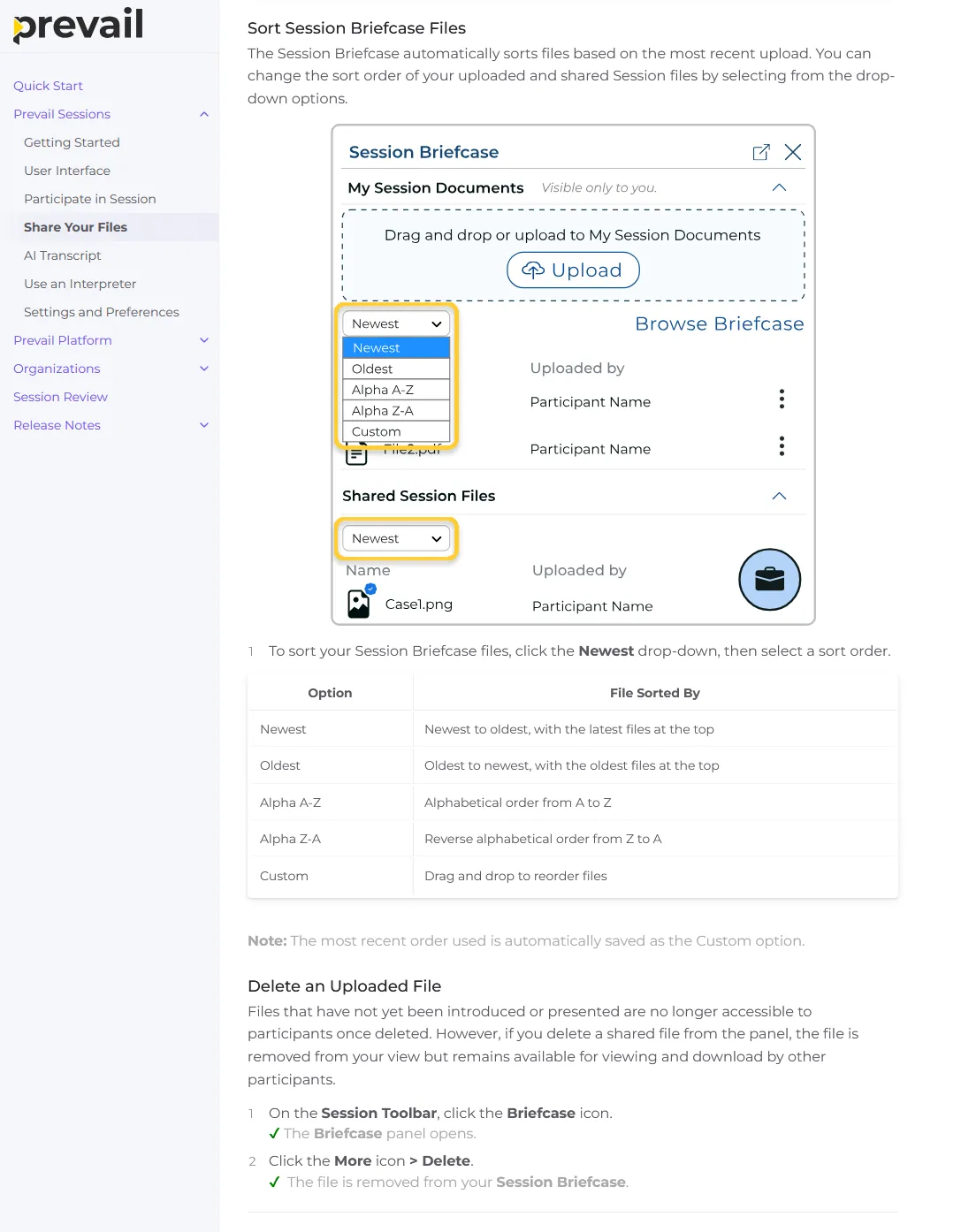
Participants open the Session Briefcase during a live remote deposition to find and manage their files. The Briefcase sorts files by most recent upload, and the guide states that default first. An end user who sees an unexpected order then knows why before changing it.
Sorting takes one action with five possible results. I wrote a single step and moved the results into a table that uses the drop-down's labels word for word. The screenshot highlights both drop-downs, since the control appears once under My Session Documents and once under Shared Session Files. A closing note covers one behavior the user can't see on screen: the last order used is saved as Custom.
Before writing the delete steps, I tested deletion in the product and found two different outcomes. A file I hadn't introduced or presented became inaccessible to other participants. A shared file disappeared only from my view and stayed available to everyone else. In a deposition, participants need to know whether a deletion affects only them or the whole session, so the guide states both outcomes before the first step.
Each step ends with a check mark and the result the user should see, so they can confirm the action worked before moving on.
Internal users told me the documentation made their own work easier and helped customers understand and use Prevail.