 David Young
Case study · Developers
Linux Foundation: one DPDK getting started guide for three operating systems
DPDK's getting started material was split into separate guides for Linux, FreeBSD, and Windows. I consolidated them into a single Sphinx resource for developers and contributors.
- My role
- Technical Writer, contract
- Dates
- June to December 2023
- Users
- Developers and contributors
- Tools
- Sphinx
- Read the Docs theme
Context
Three guides for one first step
DPDK, the Data Plane Development Kit, is an open source set of libraries for fast packet processing, hosted by the Linux Foundation. Before developers and contributors can work with DPDK, they install it, build it, and set up their system.
The getting started material for that first step was split into separate guides for Linux, FreeBSD, and Windows.
Consolidation
One resource for shared and platform-specific steps
I consolidated the three guides into a single resource. Steps that are the same on every platform appear once, and platform-specific instructions appear only where the platforms differ.
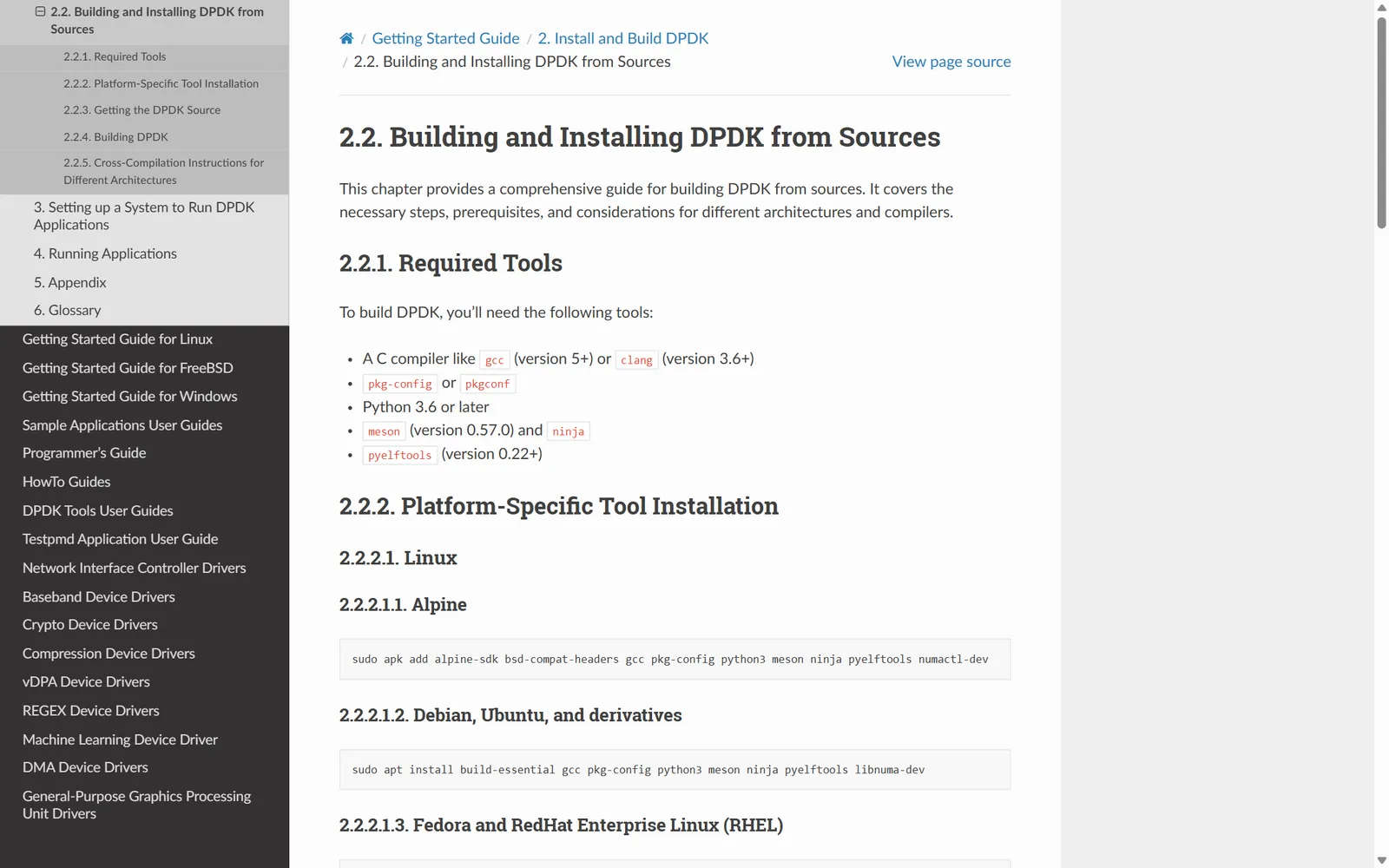
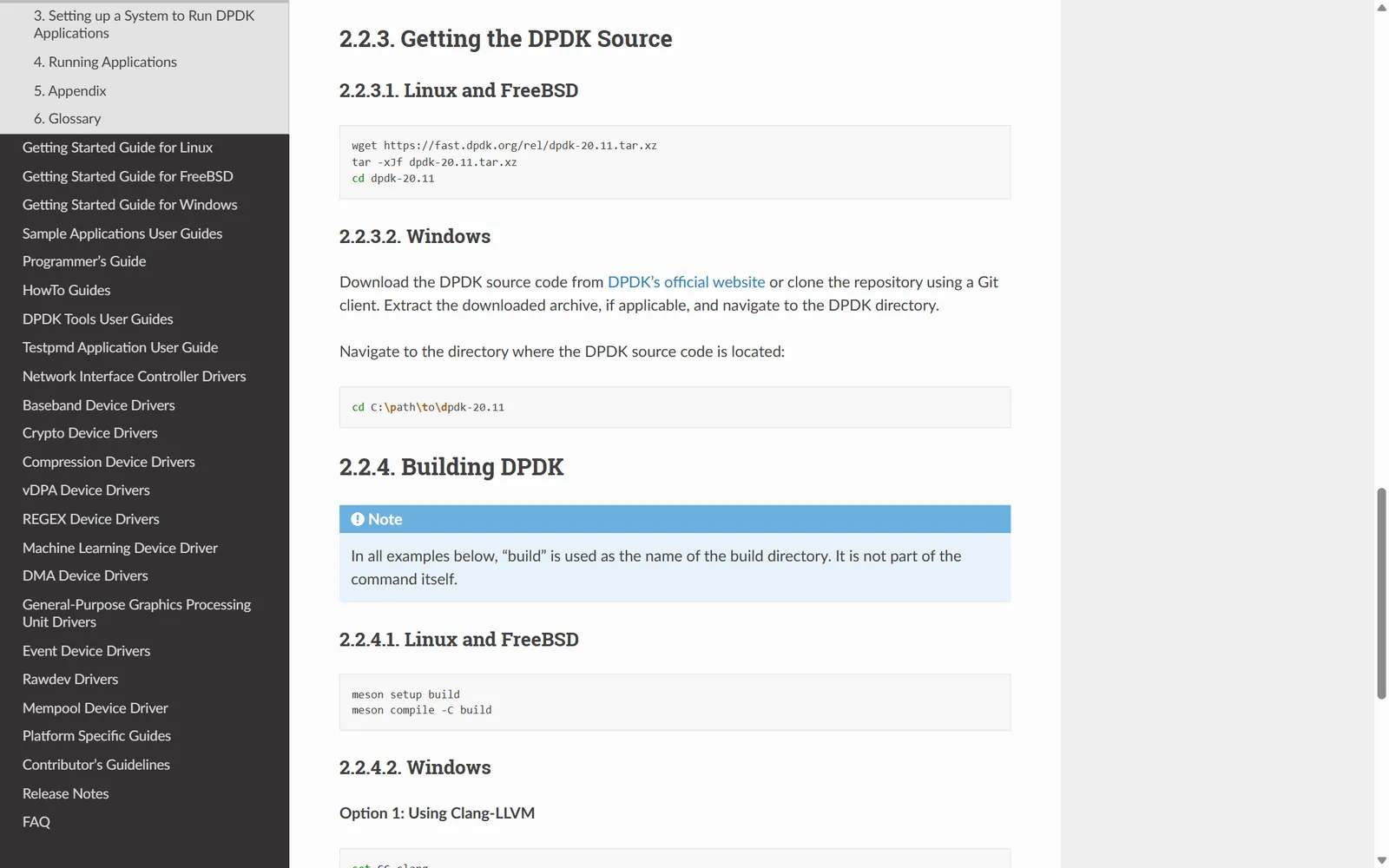
Building and Installing DPDK from Sources shows the pattern. The required tools are listed once for all three platforms. The installation commands then split by platform, with separate commands for Alpine, Debian and Ubuntu, Fedora and RHEL, and openSUSE. Linux and FreeBSD use the same commands to get the source and build DPDK, so they share one section for each, and Windows gets its own.
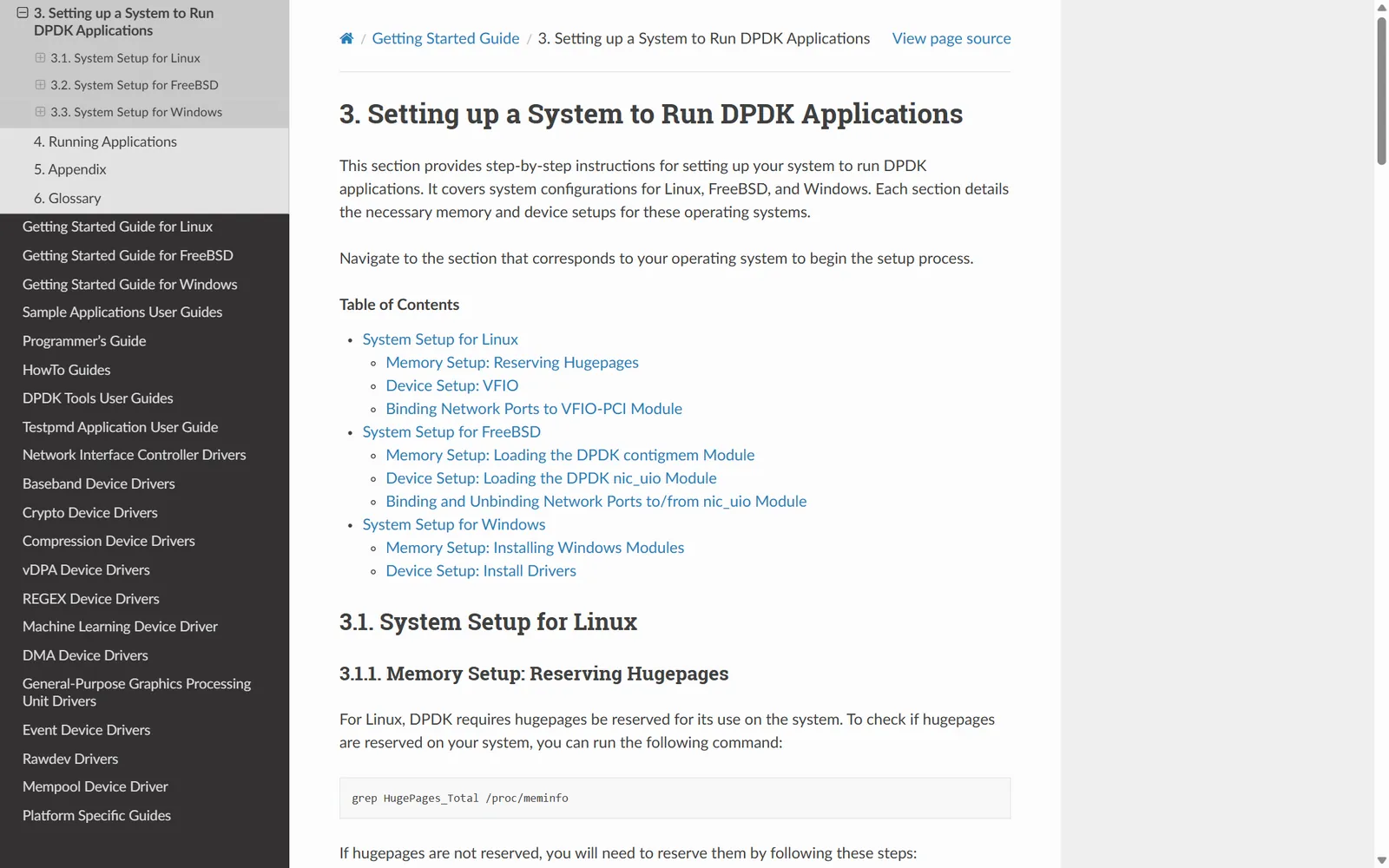
System setup follows a parallel structure. Each operating system gets a memory setup section and a device setup section in the same order, so a user who knows the Linux steps can find the matching FreeBSD or Windows step in the same place.
Sphinx
Built with Sphinx and the Read the Docs theme
I led the Sphinx-based documentation work, using the Read the Docs theme for the guide's navigation and page layout.
Collaboration
Kept in step with product and engineering
I worked with product and engineering teams to keep the documentation aligned with DPDK's features, its technical requirements, and what its users needed.
Sample
The DPDK Getting Started Guide
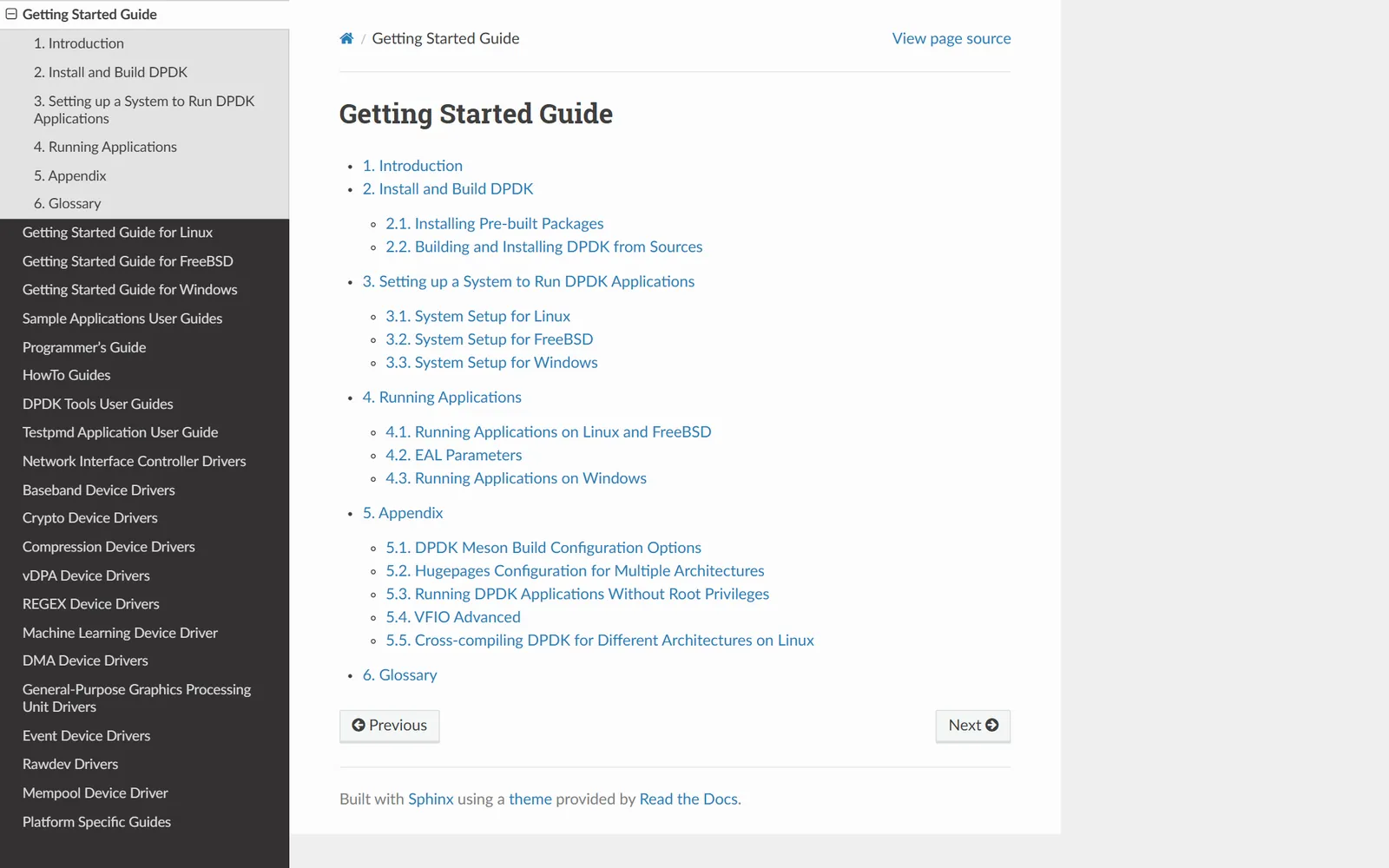
The consolidated guide is organized in the order a user works through setup. The table below lists its sections.
| Section | What it covers |
|---|---|
| Introduction | What the guide covers and who it's for |
| Installation and build | Getting DPDK onto the system and compiling it |
| System setup | Preparing the operating system to run DPDK |
| Running applications | Starting DPDK applications |
| Appendix and glossary | Reference material and terms |
The guide's navigation covers Linux, FreeBSD, and Windows.
Sample · public guide
DPDK Getting Started Guide, built with Sphinx.