 David Young
Product documentation · Developers and educators
Planet Search
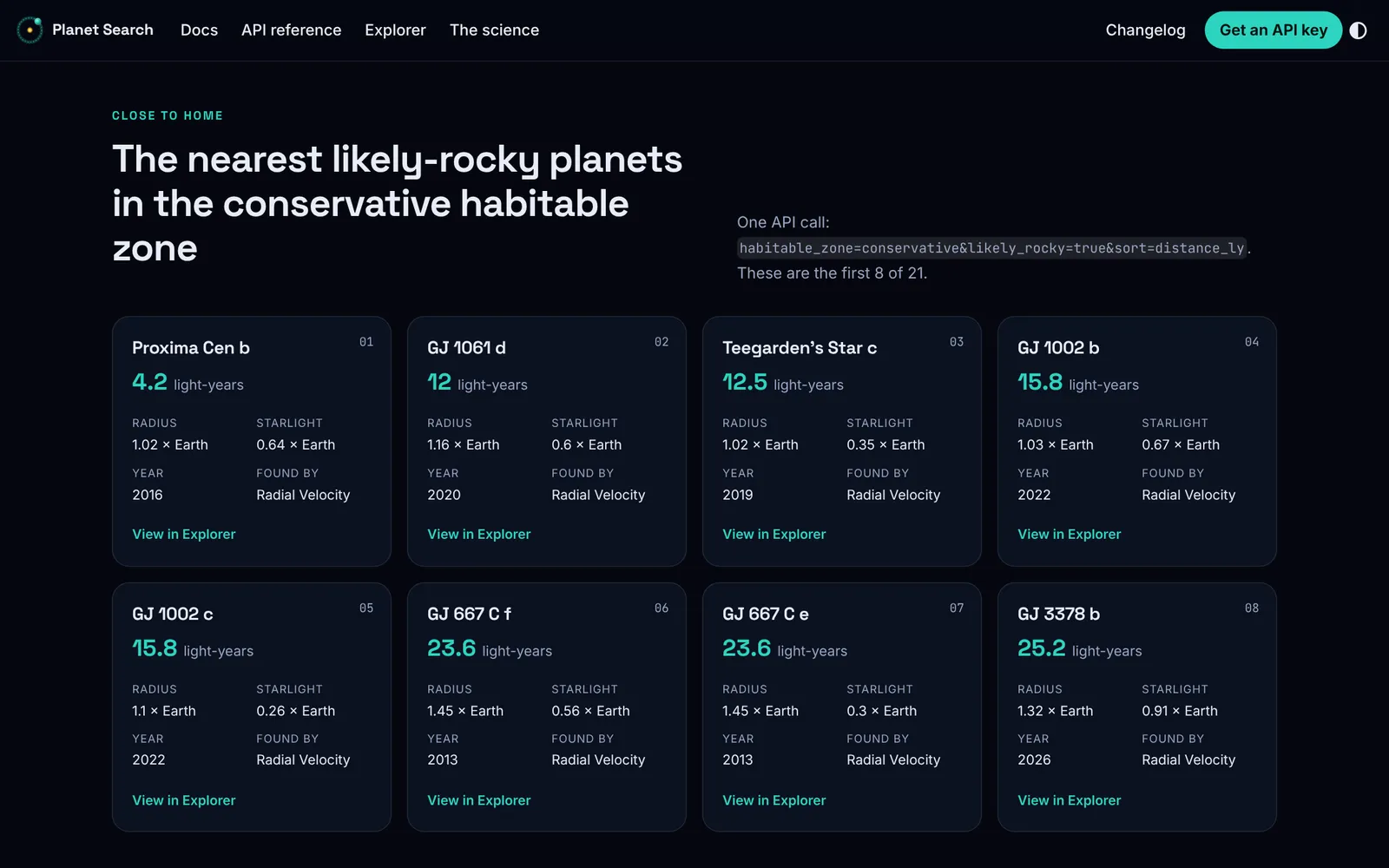
NASA's exoplanet catalog is built for astronomers. Planet Search serves that catalog as an API for developers and teachers, and I wrote the complete documentation suite: the guides, the reference, the interactive docs, and the science behind every rating.
- My role
- Complete documentation suite, interactive docs, docs site build, and visual identity
- Deliverables
- 33-page docs site, Try it panels on every reference page, interactive Explorer, OpenAPI 3.1 file
- Users
- Developers building science and education apps, and the teachers who review them
- Project
- Product documentation for the Planet Search API and website
- Docusaurus
- OpenAPI 3.1
The problem
A catalog built for astronomers
The NASA Exoplanet Archive is the authoritative record of confirmed exoplanets. Getting answers out of the archive means writing ADQL, a SQL dialect, against tables with hundreds of columns. Field names are catalog codes such as pl_rade and st_lum, some values are stored as logarithms, and discovery references arrive as HTML fragments.
The archive also leaves out the question most non-specialists ask first: could a planet hold liquid water? A developer building a lesson app has to learn the catalog and the astronomy before writing any product code.
Field reference
A field reference that maps NASA's catalog
Developers coming from the NASA archive need to know where each catalog column went. The field reference documents what each field measures and its unit, plus any qualifier the value carries: a mass measured by radial velocity comes back with mass_kind: "minimum_mass", so an app can tell students how far to trust the number.
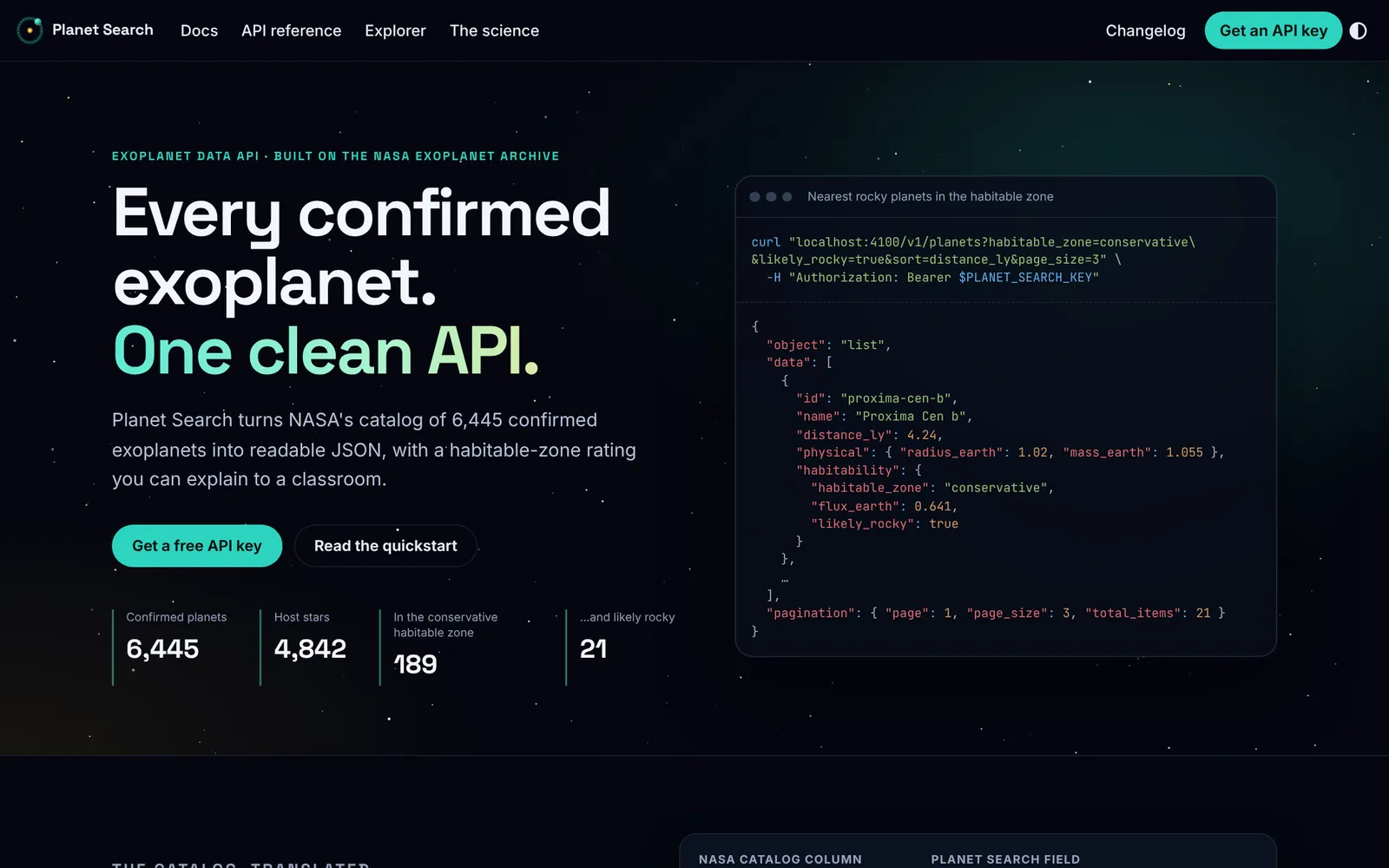
The docs homepage shows the mapping directly. The table below pairs five catalog columns with the Planet Search fields that replace them.
| NASA catalog column | Planet Search field | What changed |
|---|---|---|
pl_rade | physical.radius_earth | Radius in Earth radii, named as such |
st_lum = -2.82102 | luminosity_sun: 0.001509 | Log value converted to plain luminosity |
pl_insol | habitability.flux_earth | Starlight received, with Earth = 1 |
disc_refname | discovery.reference.citation, .url | HTML fragment split into a citation and a link |
| Not in the catalog | habitability.habitable_zone | Rated against published zone limits |
The concept pages cover the conventions every endpoint shares: stable lowercase IDs such as trappist-1-e, filtering and sorting on every list, pagination with links, one error format with a request ID, and rate-limit headers on every response.
Explaining the science
A habitability rating with its limits stated
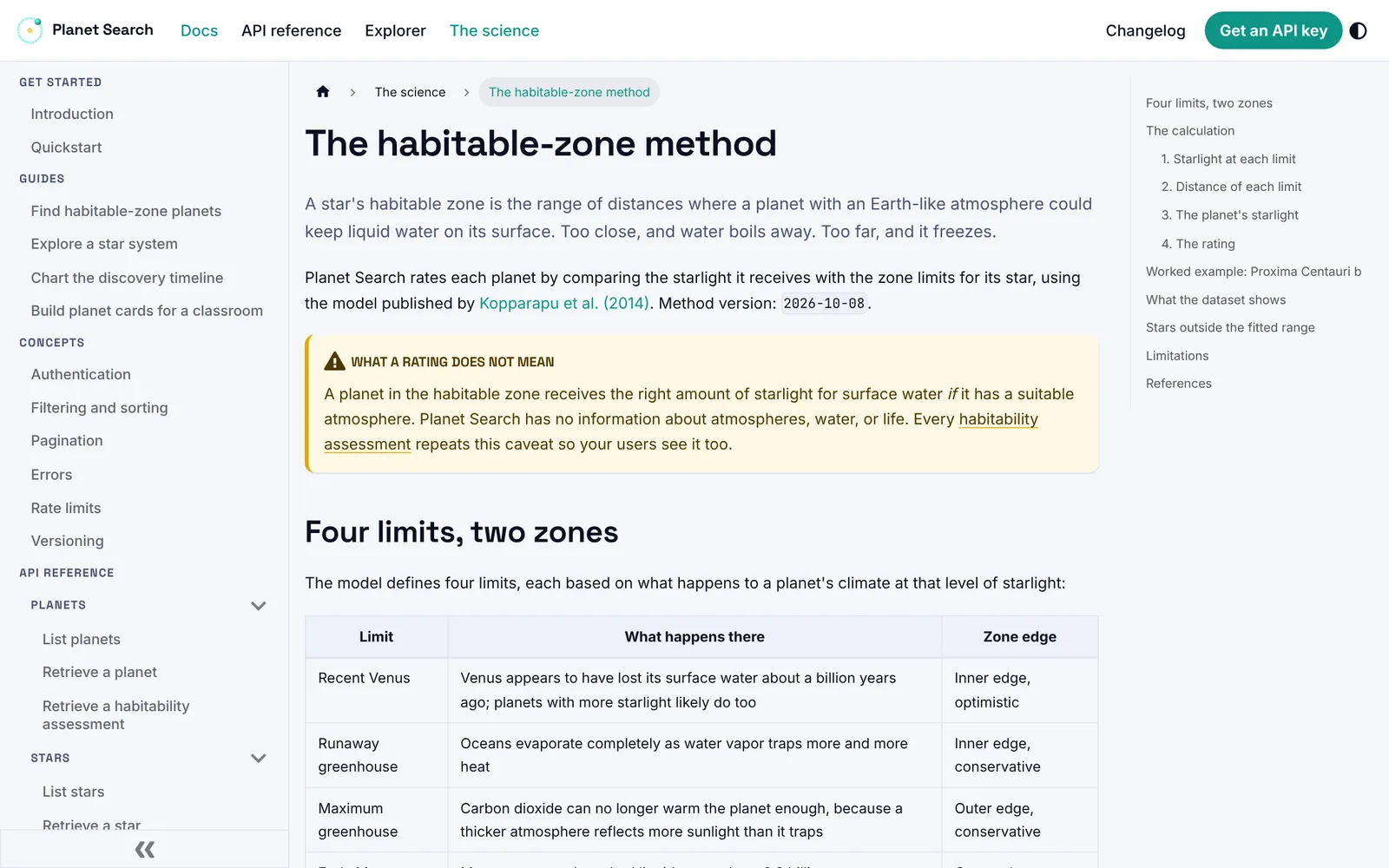
The habitable-zone rating was the riskiest part of the project to write. Apps and news stories often call a planet “habitable” when the only thing anyone has measured is how much starlight the planet receives. I wanted the docs to claim exactly that much.
The method page explains the Kopparapu et al. (2014) model in plain language before any equations: four limits, two zones, and what happens to a planet's climate at each limit. A caution box states what a rating doesn't mean, and every habitability assessment the API returns repeats the caveat, so the warning reaches students as well as developers.
Kepler-452 b shows why the caveats belong in the response. News coverage called the planet Earth's cousin. Here is part of what the API returns for it.
"habitable_zone": "conservative", "radius_earth": 1.63, "likely_rocky": false, and two caveats: placement describes starlight received rather than atmosphere, water, or life, and the NASA Exoplanet Archive flags the planet's status as controversial.At 1.63 Earth radii, the planet sits just above the 1.6 threshold for likely rocky planets from Rogers (2015). A lesson built on Planet Search can show Kepler-452 b and explain why it isn't on the list.
Information architecture
Pages organized by what users came to do
I organized the 33 pages by the user's job. Each section answers one kind of question, listed in the table below.
| Section | Pages | User's question |
|---|---|---|
| Quickstart | 1 | How do I go from a new key to a useful request? |
| Guides | 4 | How do I build a feature such as planet cards, a discovery timeline, or a star-system view? |
| Concepts | 6 | How do authentication, filtering, pagination, errors, rate limits, and versioning work? |
| API reference | 16 | What does each endpoint and object accept and return? |
| The science | 4 | Where do the numbers come from, and what do they mean? |
| Introduction and changelog | 2 | What is Planet Search, and what changed in each release? |
The science section serves the project's second audience: teachers and science communicators who need answers they can explain to a class. Developers without an astronomy background use the same pages, along with a glossary and a page on planet size classes.
Interactive docs
Docs that call the API
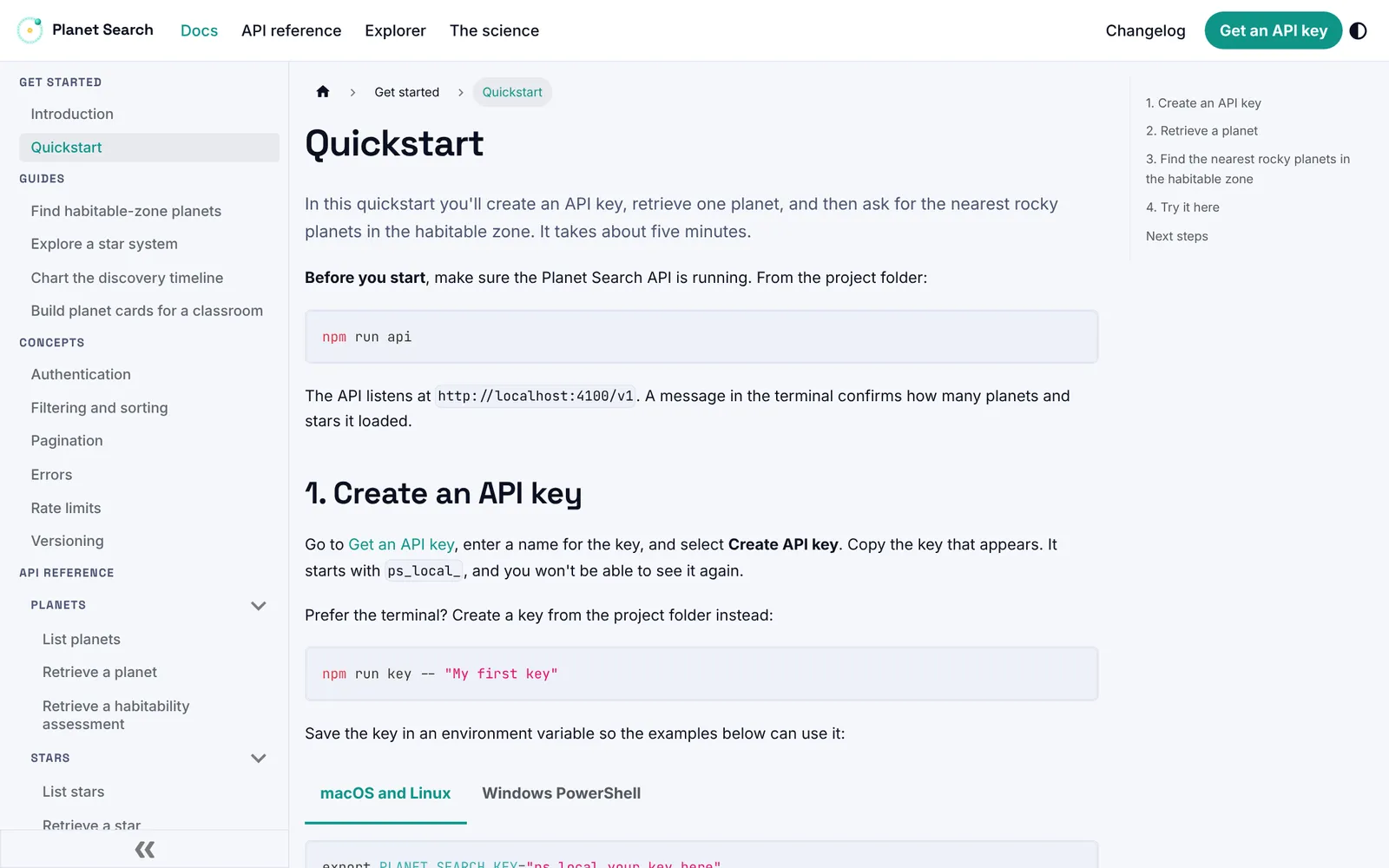
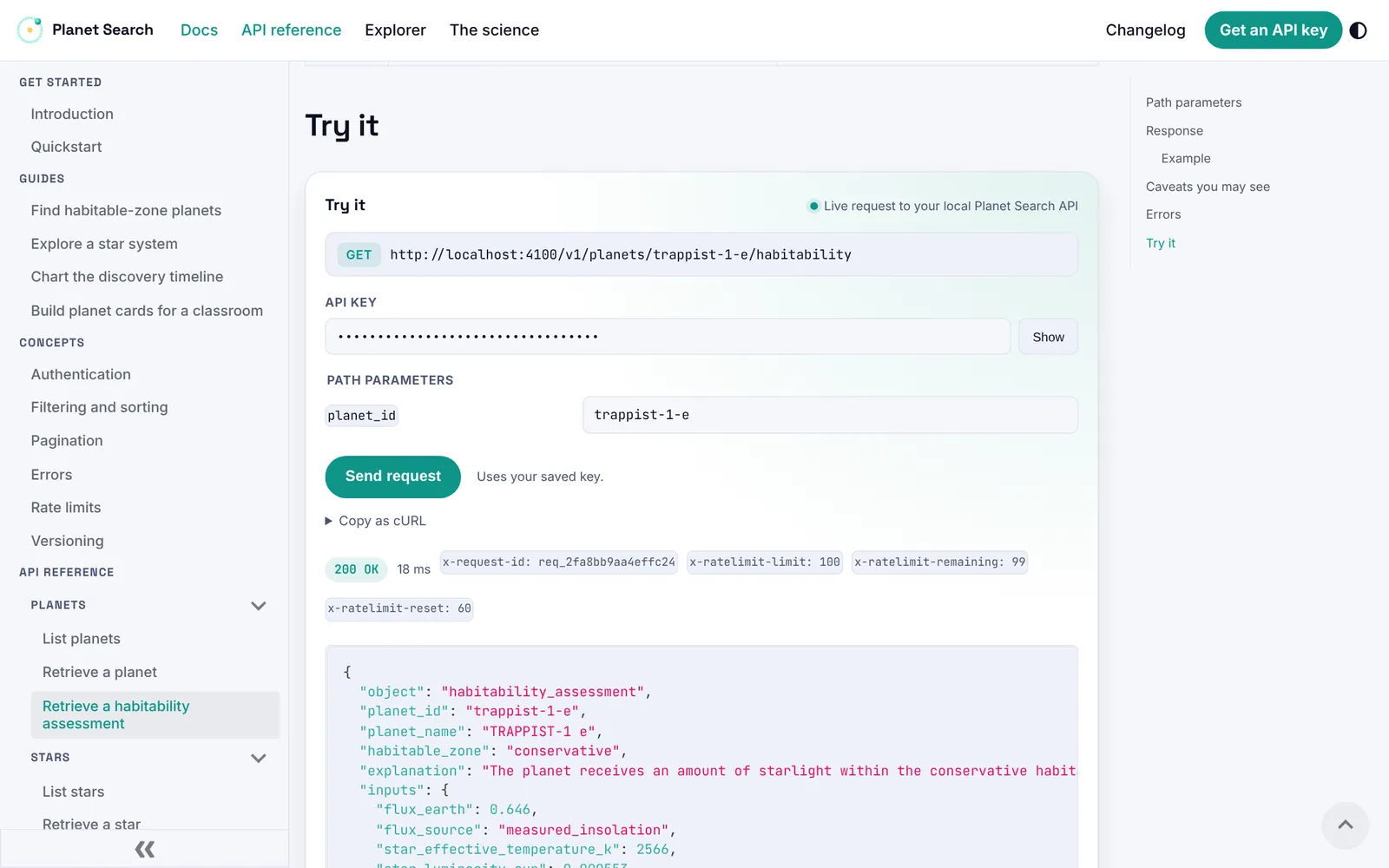
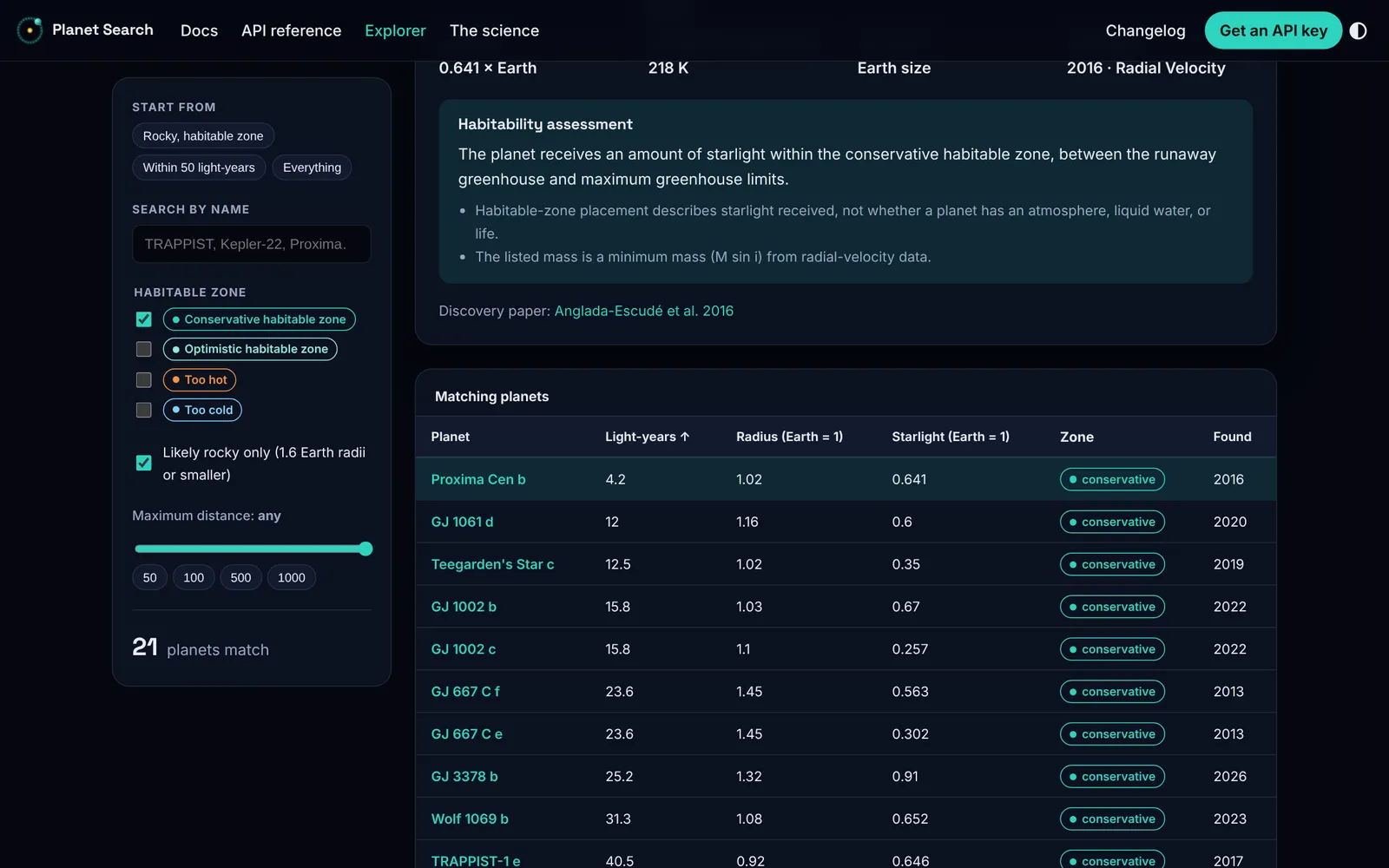
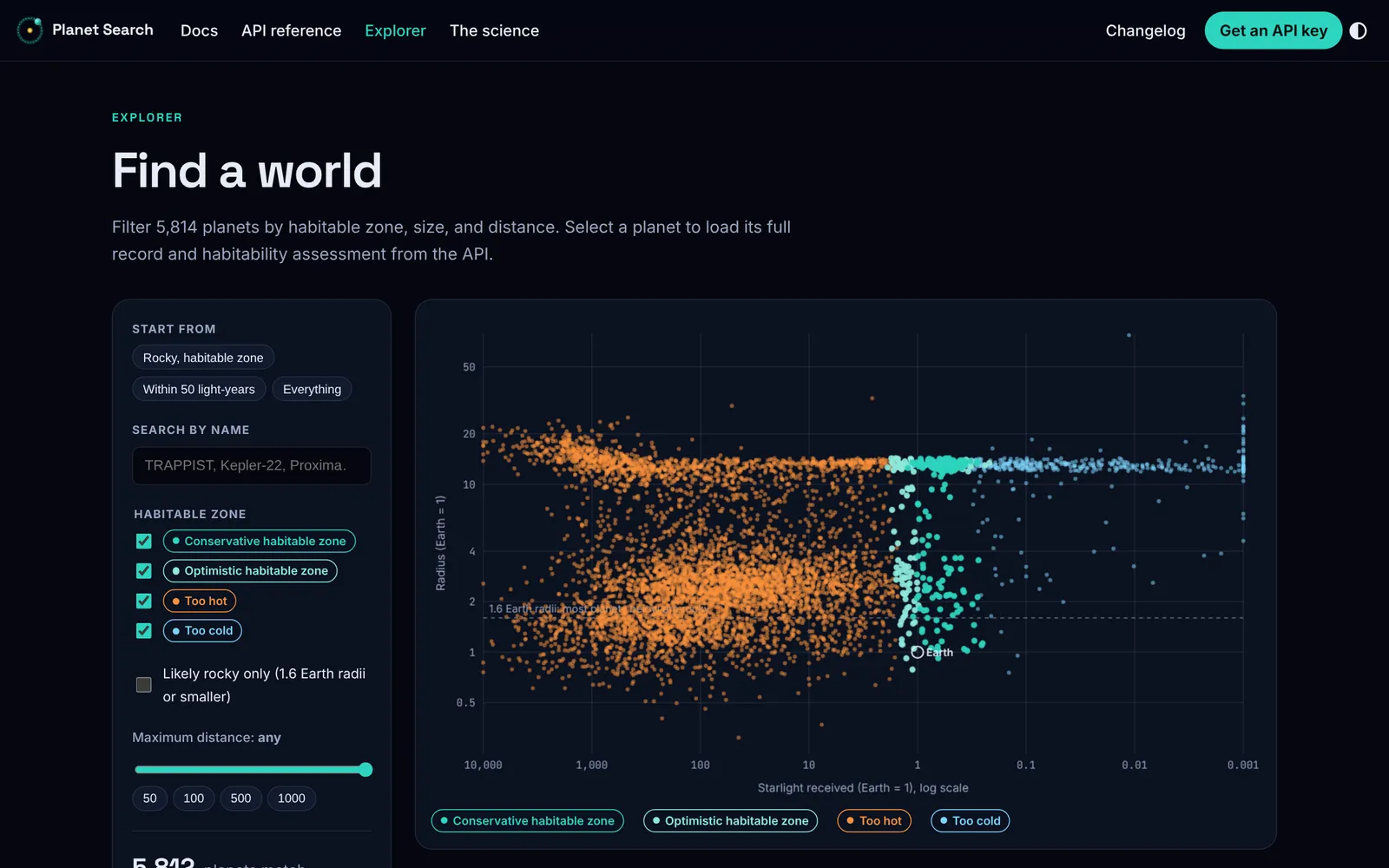
Every reference page ends with a Try it panel. The panel sends a live request with the user's saved key and shows the status, the rate-limit headers, and the full response. The Explorer plots every planet with a known size and starlight, and selecting a planet loads its record and habitability assessment from the API.
Accuracy
Examples captured from the running API
Documentation goes stale when examples are typed by hand. In Planet Search, a script starts the API, sends every documented request, and saves the real responses the pages display. Counts in the prose, such as the number of planets in the conservative zone, come from a component that reads the current dataset, so a data refresh updates every page at once.
A refresh takes four commands. The changelog records the dataset version and method version behind each release, and the site build fails on any broken page link.
Visual identity
Colors taken from the rating
The palette comes from the habitable-zone rating itself. Teal marks the conservative zone and doubles as the brand color. Amber stands for starlight and for planets that run too hot, and ice blue marks planets that are too cold. The badges, the Explorer plot, and the logo all use the same colors; in the logo, a teal planet orbits an amber star.
TealConservative zone, brand#0F9488
Light tealOptimistic zone#4FB7A9
AmberToo hot, starlight#D4720B
IceToo cold#2B74C4
NightDark theme ground#05070F