 David Young
Product documentation · Developers and platform teams
Earmark
Earmark is a tagging API for cloud resources. I wrote its complete documentation suite and built the docs site and console. Every request and response in the docs is captured from the running API, so the examples match what users actually get back.
- My role
- Complete documentation suite, docs site build, console, video tutorial, and visual identity
- Deliverables
- 20 endpoint pages, 8 object pages, 9 task guides, 11 concept pages, a live console, an OpenAPI 3.1 file, and a narrated tutorial
- Users
- Developers and platform engineers who manage cloud tags, and the finance and governance teams who rely on them
- Project
- Product documentation for the Earmark API, console, and website
- Docusaurus
- OpenAPI 3.1
The problem
Tags drift, and cost reports go wrong
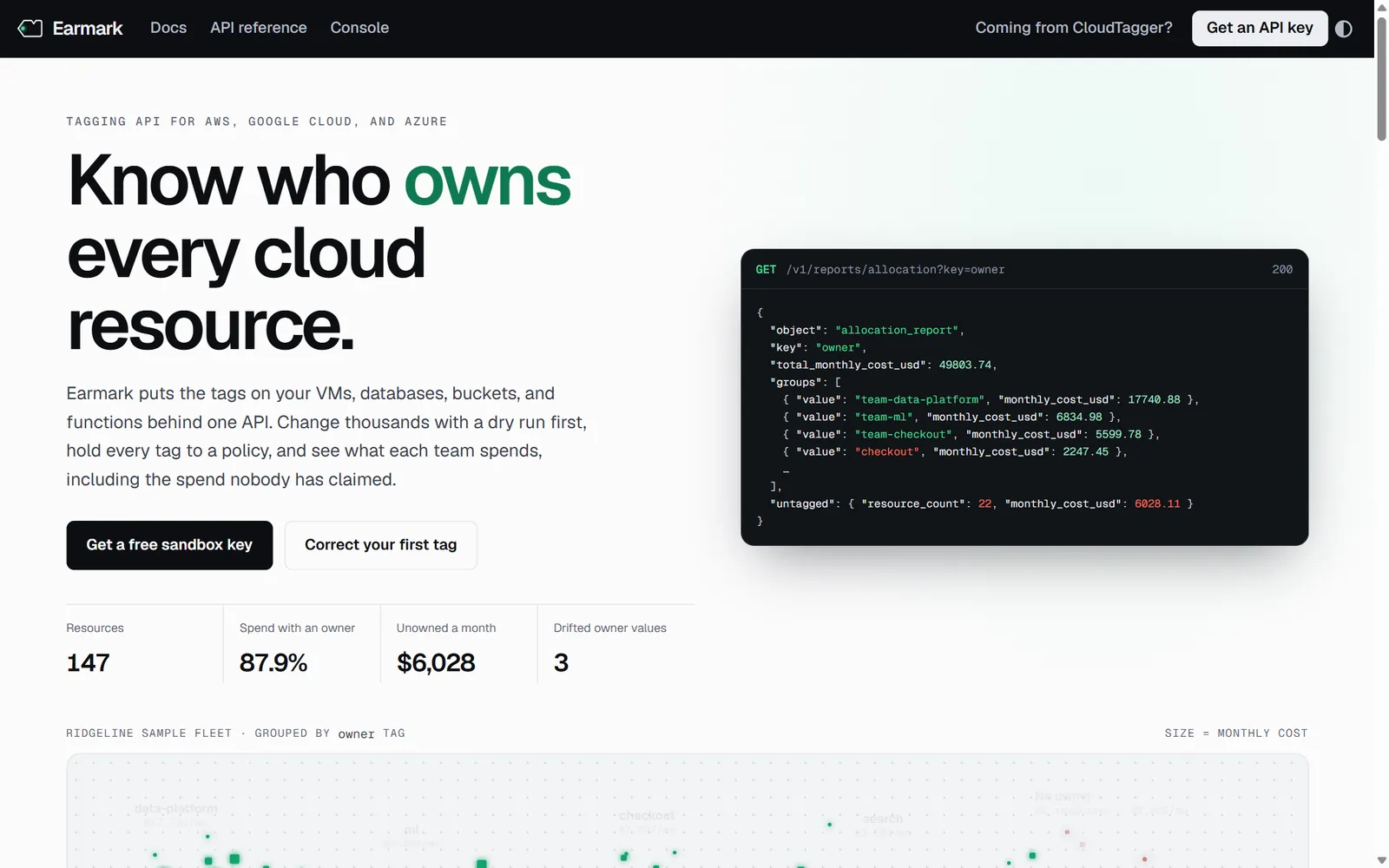
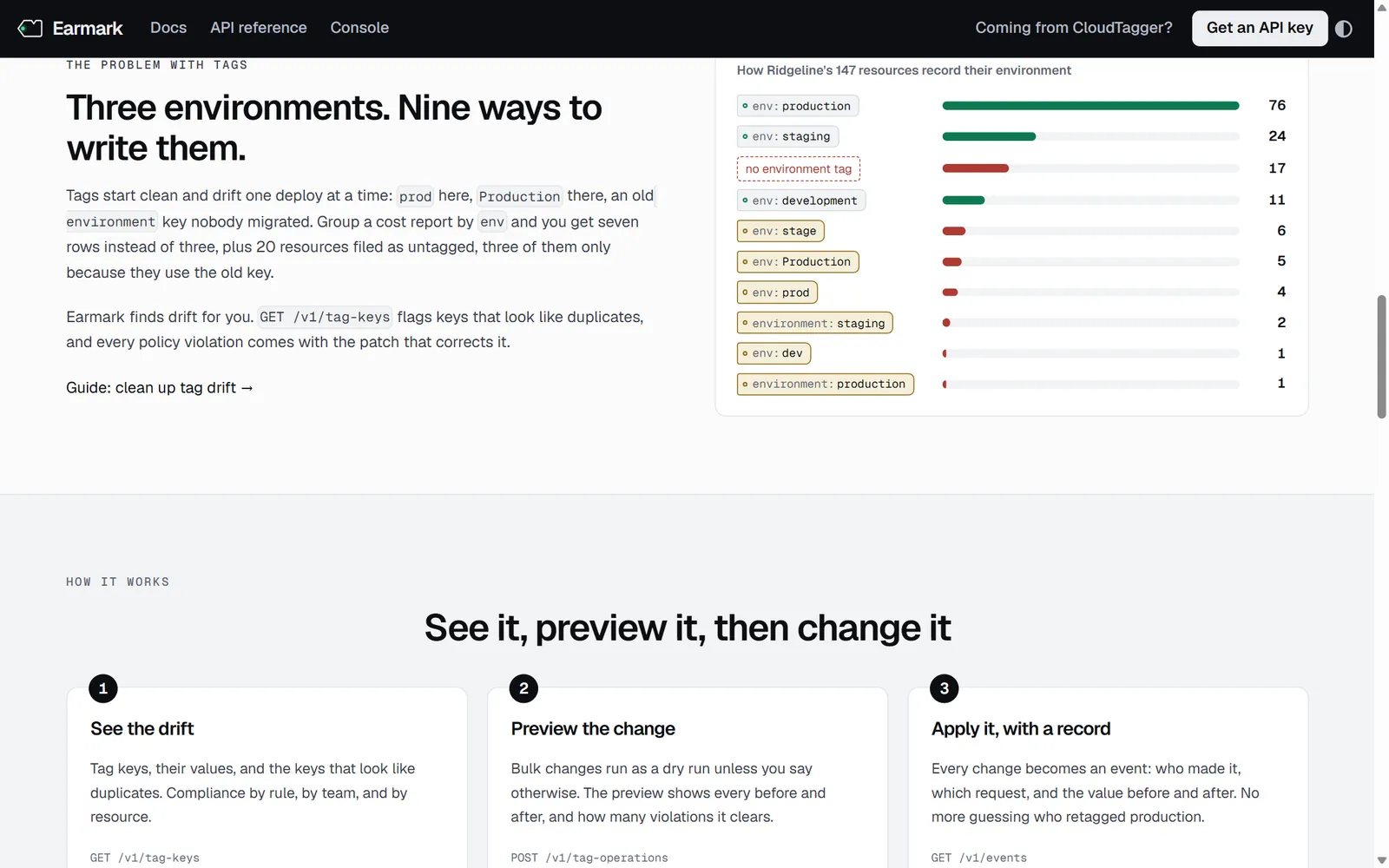
Companies tag cloud resources with keys such as owner, env, and cost-center so they can answer one question: who's spending what? Tags only help if they're consistent. One team writes prod, another writes Production, and an old environment key never gets migrated. A cost report grouped by env then shows seven rows where there should be three.
Earmark is a REST API that changes tags safely, holds them to a policy, and reports cost by any tag. Every sandbox key comes with its own copy of a sample fleet: 147 resources across AWS, Google Cloud, and Azure, owned by Ridgeline Supply Co., a fictional company.
Information architecture
Organized around the jobs users bring
The docs overview opens with a “What do you want to do?” table that sends each task to one page. Behind it, each section answers one kind of question.
| Section | Pages | User's question |
|---|---|---|
| Quickstart | 1 | How do I find and fix one problem, start to finish? |
| Guides | 9 | How do I change many resources safely, clean up drift, enforce a policy, report cost, or tag from CI? |
| Concepts | 11 | How do tags, IDs, policies, authentication, filtering, pagination, concurrency, and errors work? |
| API reference | 20 endpoints, 8 objects | What does each request accept and return? |
| Overview and changelog | 2 | Where do I start, and what changed in each release? |
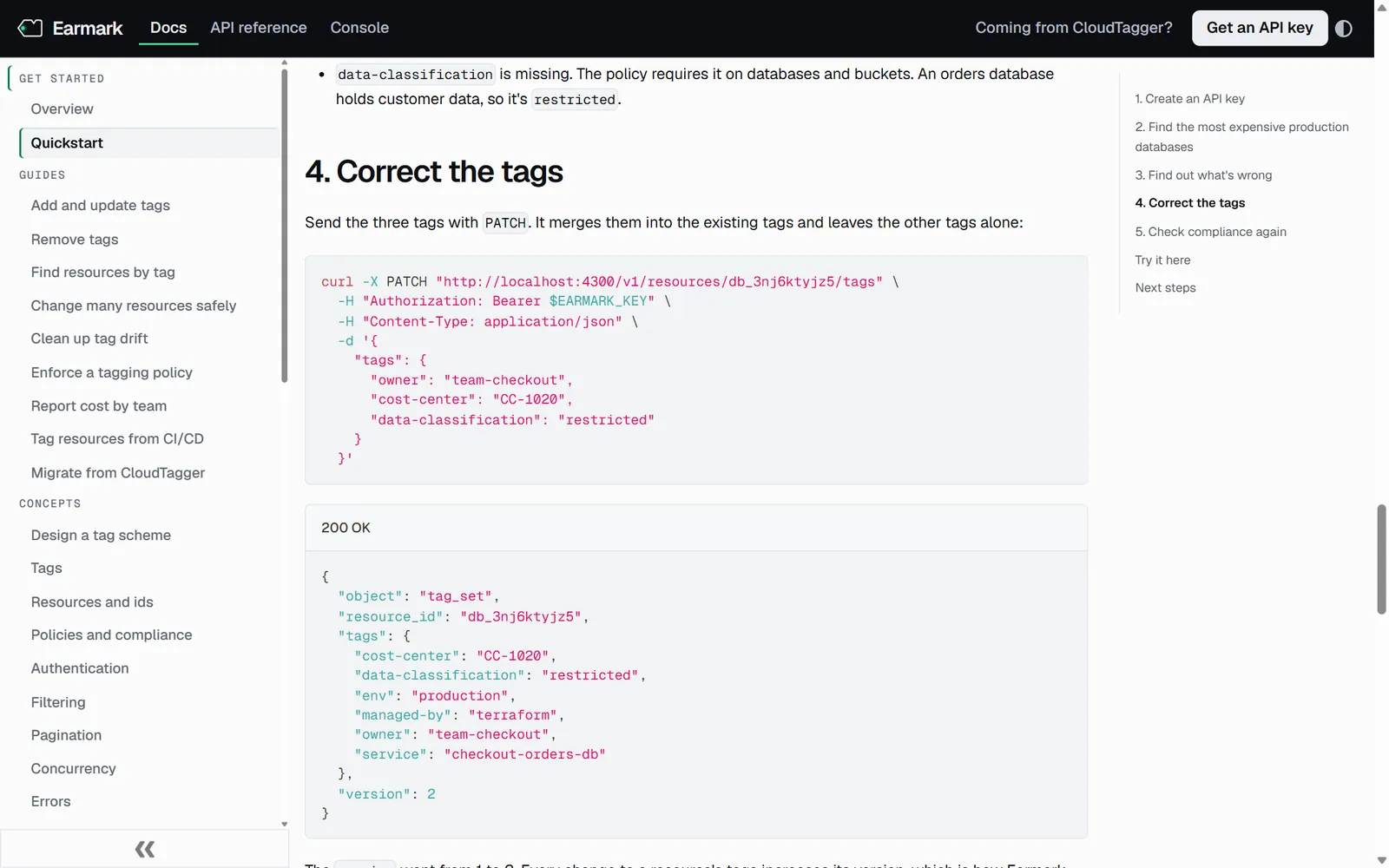
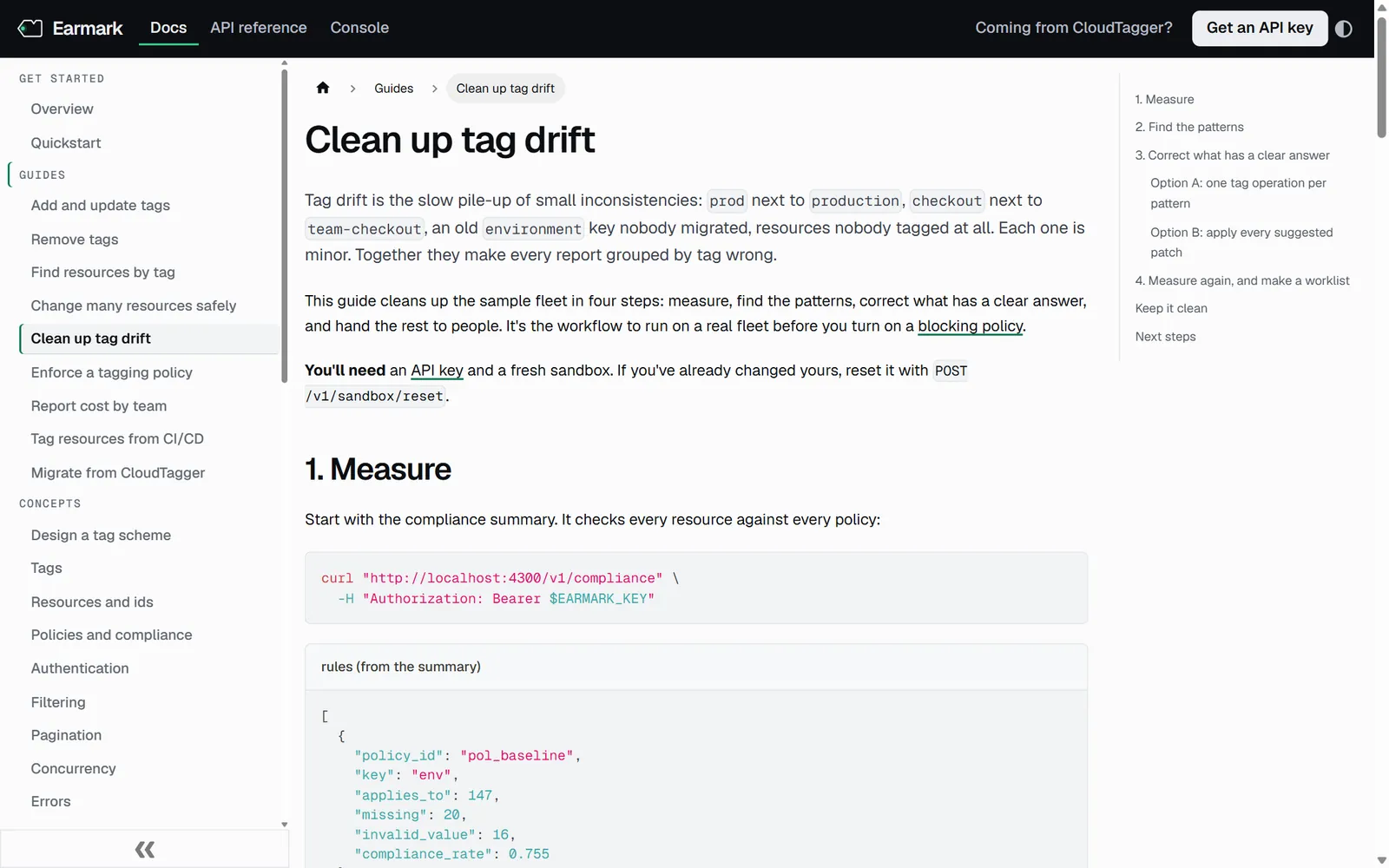
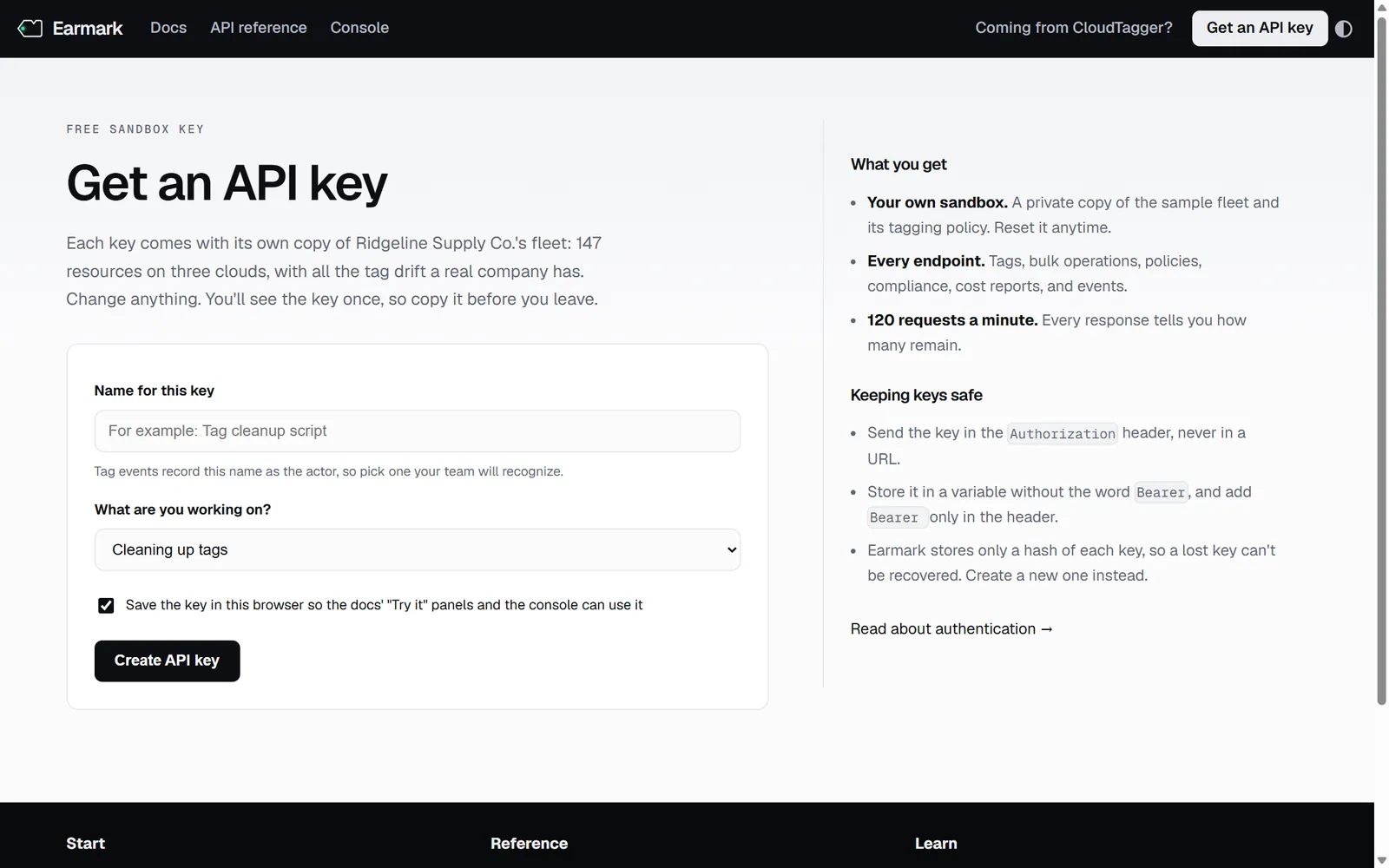
The quickstart takes about five minutes and solves a real problem in the sample fleet. The user creates a key, finds the most expensive production databases, reads what's wrong with one, and corrects three tags with one request.
Explaining policies
Rules a user can predict
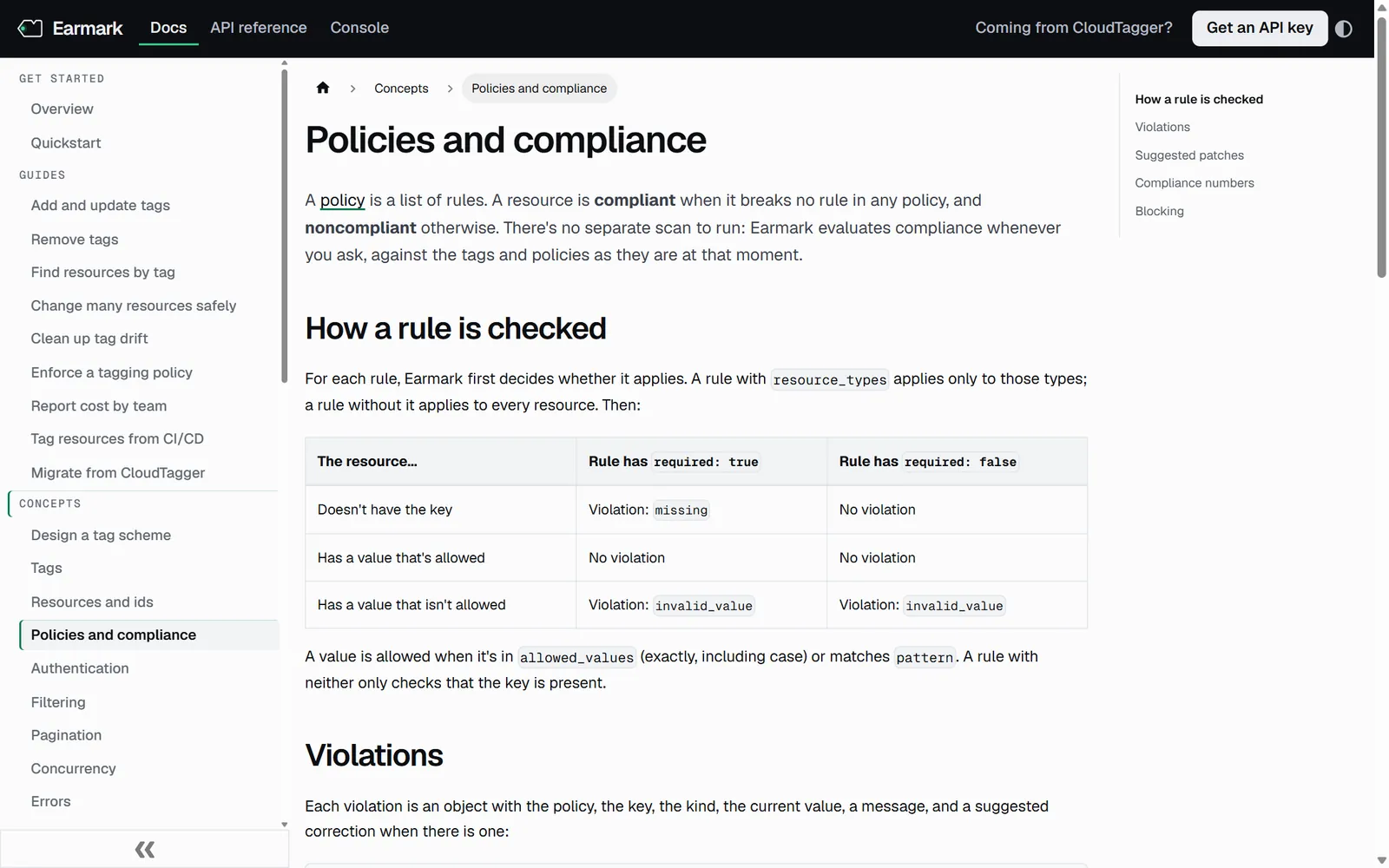
Tag policies decide whether a resource is compliant, so users need to predict the result before they write a rule. The concept page explains how a rule is checked in a three-row table: a missing key, an allowed value, and a value that isn't allowed, each against a required and an optional rule. It then states the matching rule in one sentence: a value is allowed when it's in allowed_values exactly, including case, or matches pattern.
When the right value is clear, a violation comes with a suggested correction the user can apply as is.
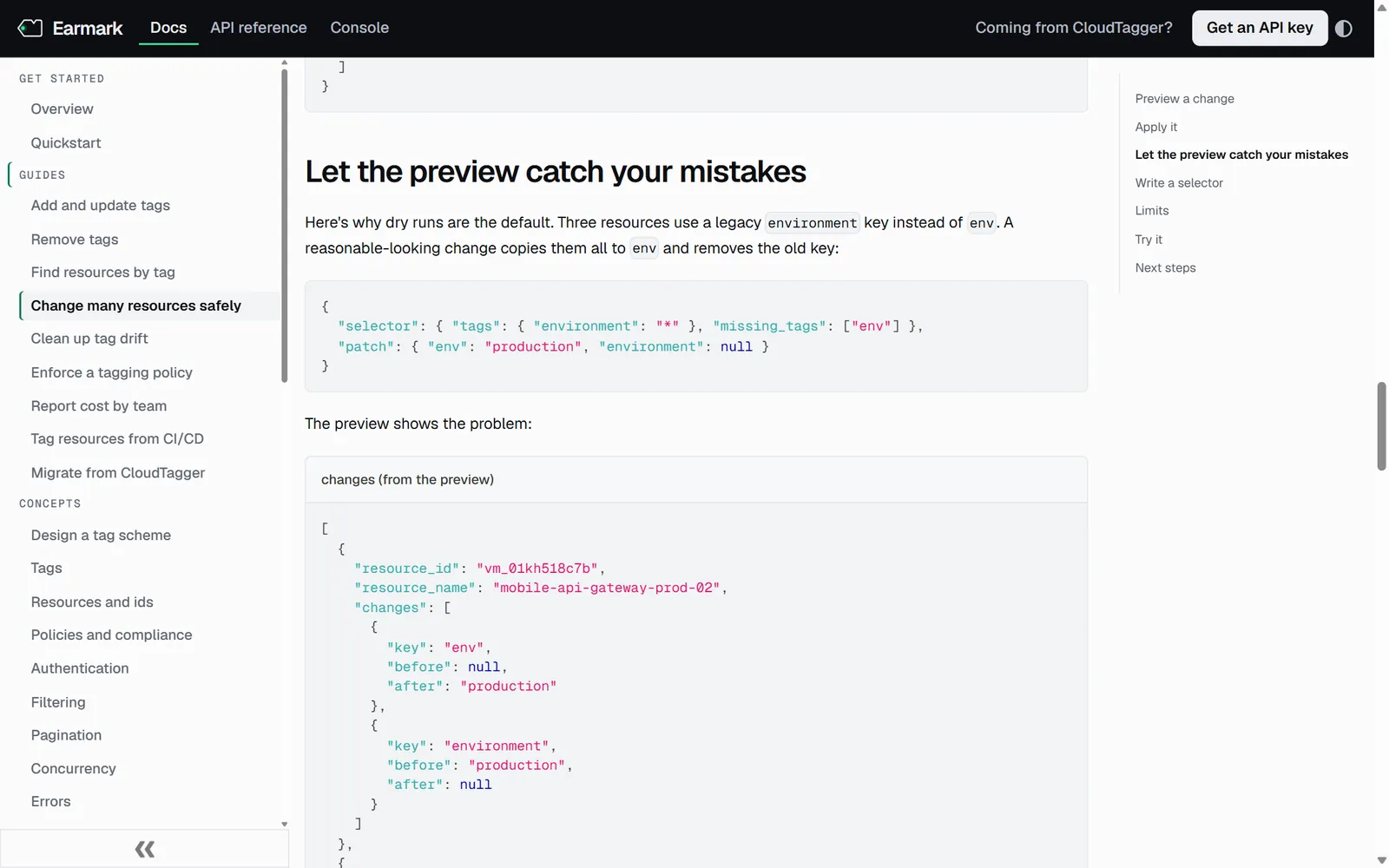
Bulk changes run as a dry run unless the user says otherwise. The bulk tagging guide shows why with an example that goes wrong: a reasonable-looking change copies three resources' legacy environment value into env and removes the old key, and the preview shows the problem before anything is saved.
The console
A console that uses the documented calls
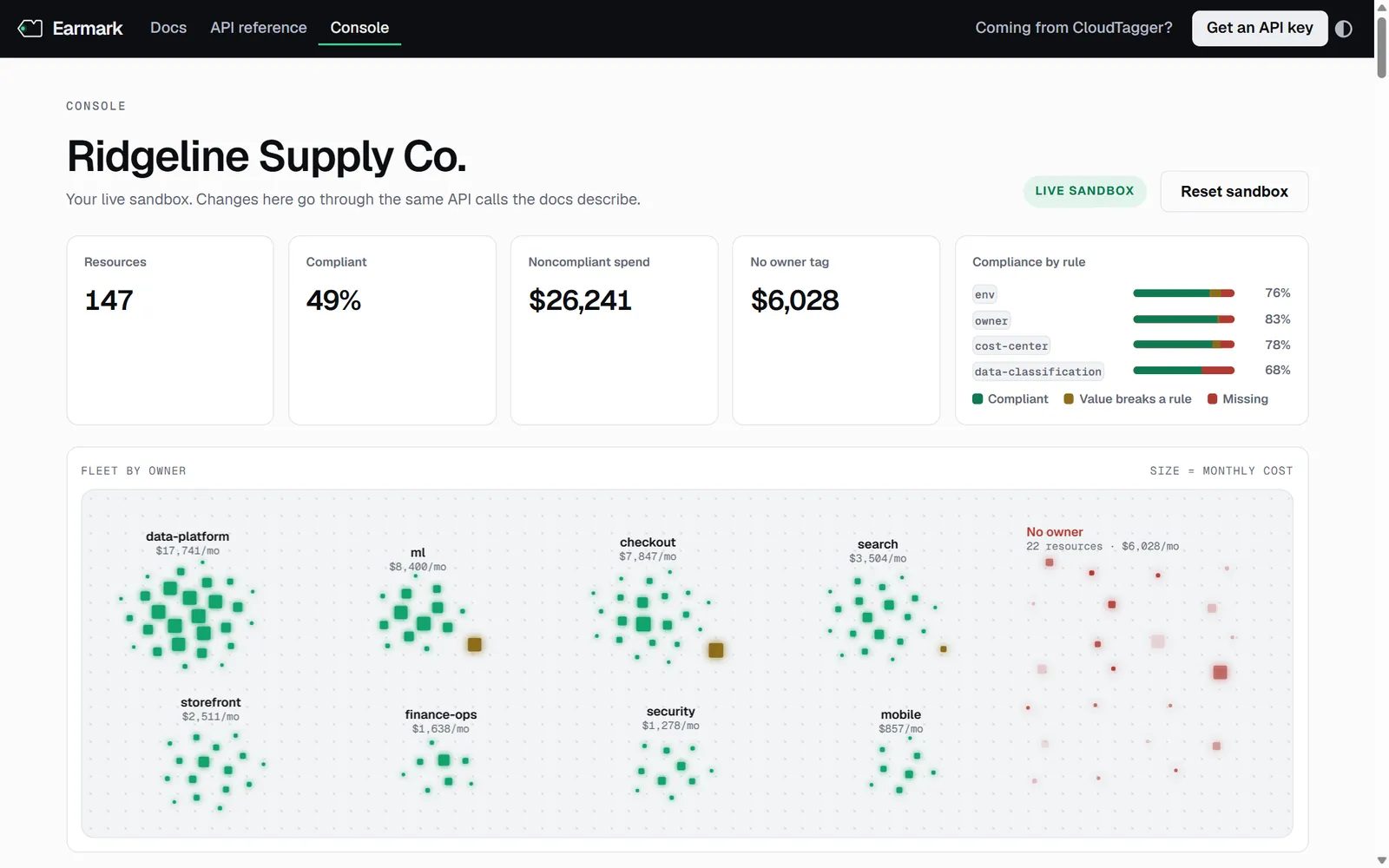
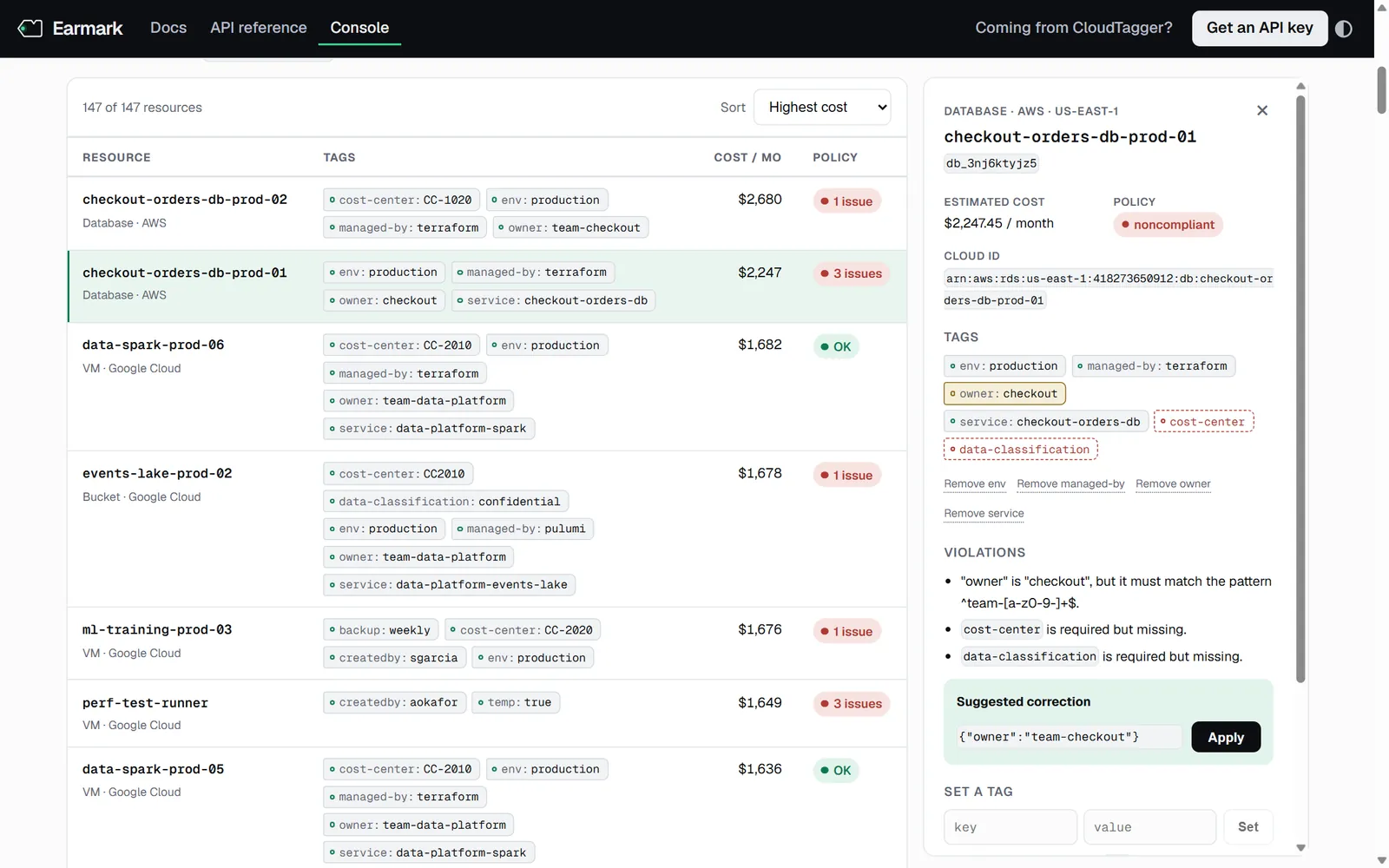
The console is a live view of the user's sandbox, built on the same API calls the docs describe. The resource list shows the request behind the current view, so a user who finds something in the console knows which call to script. The overview groups the fleet by owner, sized by monthly cost, with unowned spend set apart.
Video tutorial
Every step shown on screen
The narrated tutorial walks a new user through correcting one resource in the console: find a noncompliant production database, apply the suggested correction, set the two tags Earmark can't guess, and confirm the change in the resource's history.
One script file holds both the captions and the words the voiceover speaks. Every change on screen comes from something the viewer is told to do. Scrolling appears as visible mouse-wheel turns rather than a jump, and each action lands on the words that describe it.
The script says what each color and border style means, so the meaning doesn't depend on color alone. Captions ship as a separate WebVTT file that players can switch on.
Accuracy
Docs that are tested like code
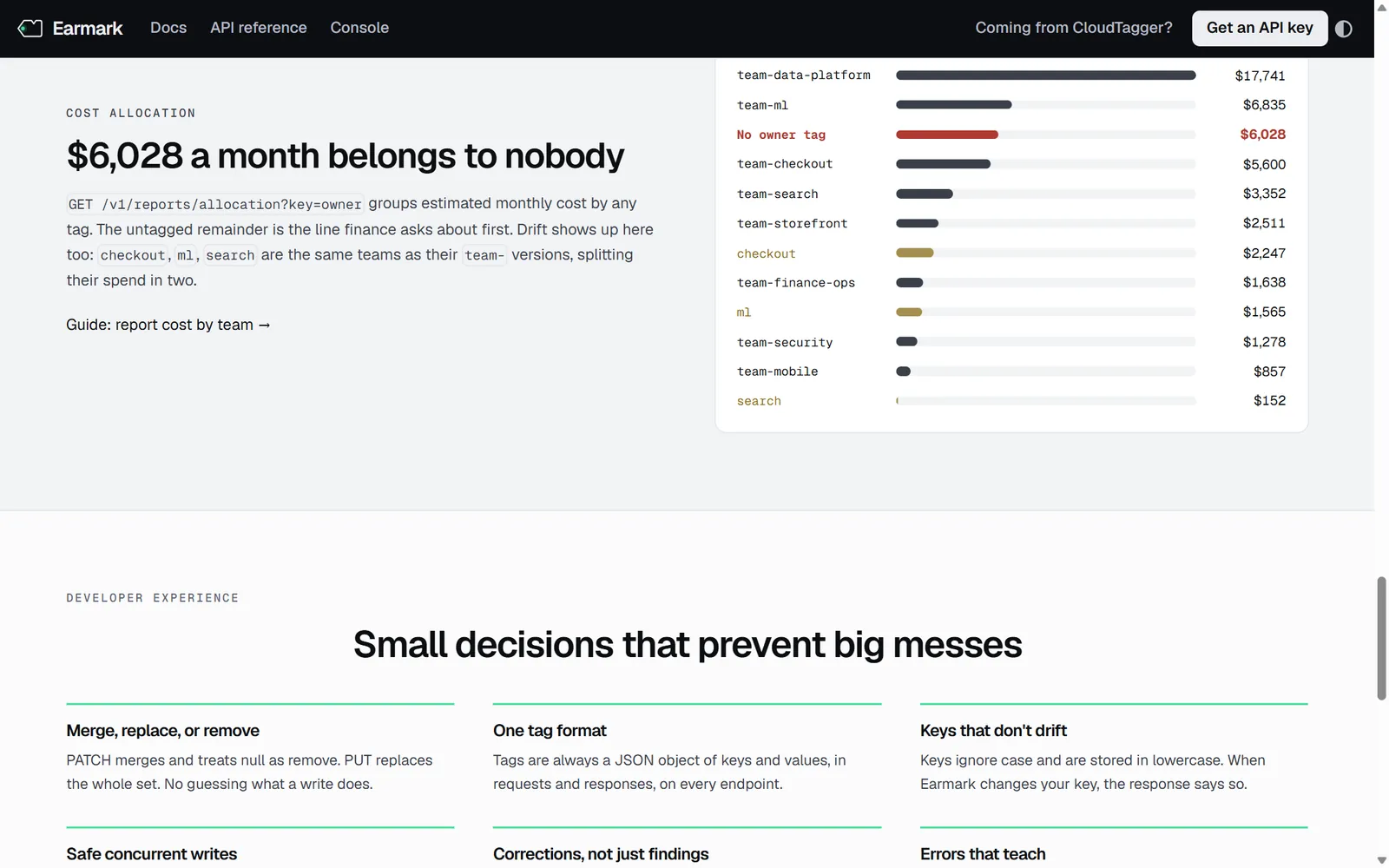
Documentation goes stale when examples are typed by hand. In Earmark, a script starts the API, sends every documented request in order, and saves the responses the pages display. Numbers in the prose, such as the 147 resources or the $6,028 with no owner, come from a component that reads the same data.
npm test checks the API and confirms that every example and resource ID the docs mention exists. The site build fails on any broken link or anchor. The sample fleet comes from a fixed seed, so resource IDs in the docs work in every sandbox.
Visual identity
Green means a resource has an owner
The identity is a quiet graphite interface where color carries meaning. Green marks owned spend and compliant resources and doubles as the brand color. Amber marks a value that breaks a rule, and red marks a required tag that's missing. The console, the homepage charts, and the tag chips in the docs all use the same three states.
MintOwned, compliant, brand#0F7A52
Bright mintAccent#3DDC97
AmberValue breaks a rule#8C6D1A
RedRequired tag missing#B03A33
GraphiteInk and header#0C0E11